Hoverboard Troubleshooting: What Beeps, Lights and Wobbles Mean (2026)
Most hoverboard problems come down to a low battery, a board that needs recalibrating or a loose connection. Here's how to work through them safely, and the battery warning signs that mean you should stop.
Safety First: When to Stop Troubleshooting
Most hoverboard faults are annoying rather than dangerous. A battery problem is different. Hoverboards run on lithium-ion packs, and in 2016 the CPSC recalled about half a million boards from 10 firms over fire risks. Before you try any fix, check the board for these warning signs:
- The battery area is very hot to the touch, or the board overheats while riding or charging
- Swelling, bulging or a cracked case
- Smoke, sparks, a burning or unusual smell, leaking fluid, or hissing or crackling sounds
If you notice any of these, stop using the board right away. The National Fire Protection Association (NFPA) advises calling 911 and, only if it's safe to do so, moving the hoverboard outside away from anything that can burn. If there's no smoke or fire yet, turn it off, unplug the charger and keep it outside and away from people until you can get advice from the manufacturer. UK government guidance also warns that a battery damaged in a drop or crash can catch fire without warning, so don't keep charging or riding a board that took a hard hit and now behaves oddly.
A few more rules apply to every fix on this page:
- Check for recalls first. Search your brand and model at CPSC.gov. The CPSC says to stop using a recalled hoverboard immediately and contact the maker for the remedy.
- Know whether it's certified. Boards should meet UL 2272, which tests the battery, charger and electrics as one system. The CPSC notes that boards bought before January 29, 2016 are not UL 2272 compliant, and that even certified boards aren't guaranteed never to overheat.
- Never bypass safety systems. Don't disable or remove the battery management system (BMS), bridge a fuse, use a higher-voltage or "fast" charger, or use a modified or rebuilt battery. These protections are there to stop overheating and fires.
- Don't open the battery pack, and leave internal repairs to the manufacturer or a repair shop while the board is under warranty.
This guide covers common, low-risk checks. It isn't professional repair advice; if in doubt, contact the manufacturer.
Quick Fixes by Symptom
| Symptom | Most Likely Causes | Try First |
|---|---|---|
| Won't turn on | Flat battery, charger or port fault, power button, loose connection | Charge with the original charger, check the charger light |
| Beeping | Low battery, speed limit reached, uneven ground, needs calibration, blocked wheel | Step off, move to flat ground, charge, recalibrate |
| Red or flashing light | Low battery or calibration needed; on some models a fault code | Charge, recalibrate, then check the manual's light codes |
| Vibrates or spins on its own | Needs calibration, not level, weight on one pad | Recalibrate with no weight on the board |
| One side dead or wobbly | Calibration, foot pad sensor, loose wiring, sensor board or motor | Recalibrate, then get it inspected |
| Shuts off while riding | Low battery, auto shut-off, overload or steep slope | Charge fully, ride on flat ground within the weight limit |
| Won't charge or hold a charge | Charger, port, worn battery | See our charging guide |
| Hot, swollen, smoking or smelly | Battery fault | Stop using it (see above) |
Start With These Basic Checks
Many "broken" hoverboards are fine once you rule out the simple stuff. Work through these in order:
- Charge it fully with the charger that came with the board. A low battery causes beeping, red lights, weak power and shut-offs.
- Power it on on a flat, level floor, with nobody standing on it. Boards check their balance sensors at start-up and may beep or refuse to balance on a slope.
- Power cycle it. Turn it off, wait about a minute, and turn it back on.
- Check the wheels. With the board off, look for hair, string or debris wrapped around the wheels, and check the tire pressure if your board has air-filled tires.
- Look at the foot pads. Cracked or loose pads may not press the sensors underneath.
- Recalibrate using the steps below.
- Read your manual. Light codes, beep patterns and reset steps vary by brand and model.
Hoverboard Won't Turn On
If the power button does nothing, start with charging. Plug the charger into a working outlet first: on many chargers the light shows green at the outlet, turns red once it's connected to the board, and goes green again when the battery is full. iFixit's Hover-1 guide notes that if the light never comes on, the charger is likely faulty, and if it stays green when connected to a flat board, the battery may be the problem.
Other causes include a damaged or blocked charging port (look for debris or bent pins), a faulty power button, or a loose connection inside. iFixit's Swagtron T3 guide also advises keeping the board switched off while it charges. If a board still won't power on after a full charge with a known-good charger, the battery may be worn out, which is a job for the manufacturer or a certified replacement battery. Charging problems are covered in detail in our hoverboard charging guide.
Beeping and Flashing Lights Explained
Beeps and lights are the board telling you something. Jetson lists these common reasons its hoverboards beep:
- Maximum speed reached: a safety warning. Lean back slightly and keep the foot pads close to level.
- Motor strain: steep slopes, rough surfaces or a load over the weight limit. Ride on smooth, flat ground and check the weight limit.
- Low battery: Jetson boards flash red below about 20% charge.
- Calibration needed: the balance system is off and needs resetting.
- Blocked wheel: something is stuck in or against a wheel.
- Not on solid ground: a powered-on board that's lifted may beep or spin its wheels.
Light colors usually mean one of two things. On Jetson boards, a single battery light shows green at 50% or more, yellow from about 21% to 49%, and red or flashing red below 20%. A separate status light that turns red or flashes red means the board needs recalibrating. Red lights with beeping usually point to a low battery or calibration.
Some boards also use flash counts as fault codes, and these differ between brands. iFixit's Swagtron T3 guide, for example, lists these codes for that model:
| Flashes (Swagtron T3) | Meaning | What to Do |
|---|---|---|
| Flashing at start-up | Not calibrated | Recalibrate |
| 1 | Loose internal cable | Professional inspection |
| 4 or 5 | Wheel (motor) fault on one side | Wheel replacement |
| 6 | Battery fault | Approved replacement battery |
| 7 or 8 | Gyroscope (sensor board) fault | Sensor board replacement |
| 9 | Board is upside down | Turn it upright |
Don't assume these codes apply to other brands. Check your own manual or the maker's support site, and contact the manufacturer for anything beyond calibration or charging.
How to Recalibrate a Hoverboard
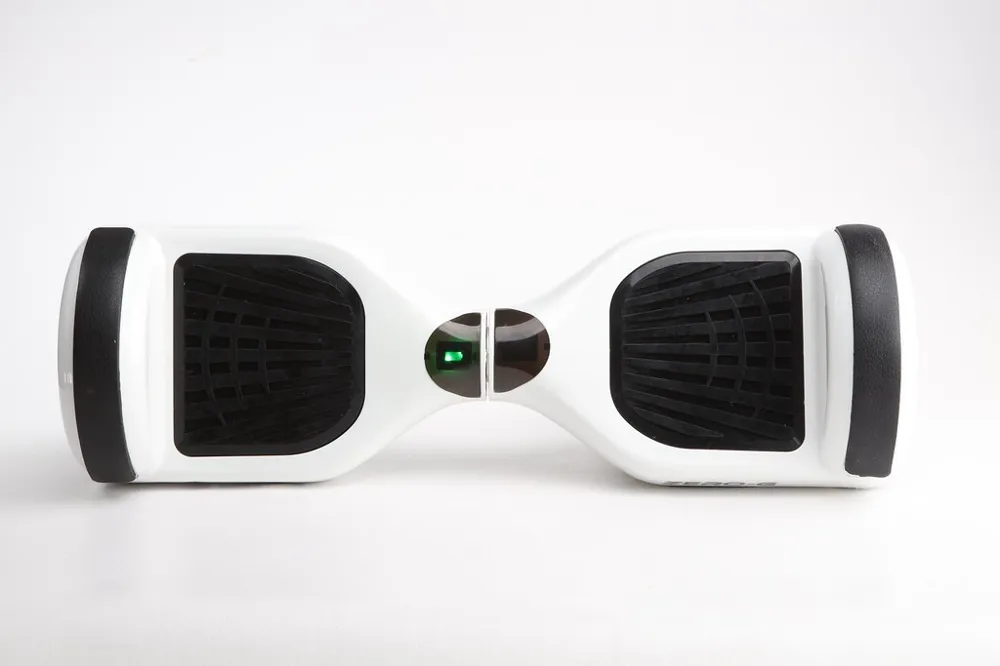
Recalibrating resets the gyroscope sensors so the board knows what "level" is. It fixes a large share of beeping, red-light, wobbling and spinning problems, and Jetson recommends doing it before your first ride. Jetson's steps are typical:
- Turn the hoverboard off and put it on a flat, level surface.
- Gently twist the halves so both foot platforms are horizontal and parallel to the floor.
- Press and hold the power button for about 3 to 5 seconds.
- Release it when the board signals that calibration is done.
- Turn the board off, then back on.
Keep all weight off the board while it calibrates, and repeat if needed; Jetson says it can take up to three attempts. Hold times vary by model. iFixit's guides describe holding for at least five seconds until the lights flash on the Hover-1 H1, about 10 seconds until one beep on the Swagtron T3, and holding until the LEDs flash and then waiting 30 seconds on the Hover-1 Maverick. Jetson's Sphere needs 15 seconds. Follow your manual. If the board still won't balance after several tries, contact the manufacturer; Jetson notes the board may qualify for an in-warranty replacement. Our how hoverboards work guide explains what the sensors do.
Vibrating, Shaking or Spinning on Its Own
A board that shakes, jitters or spins in circles when you step on usually needs recalibrating. Other common causes:
- Starting on uneven ground or with one foot pressing harder than the other. Step on one foot at a time, keep your feet near the wheels and stand evenly, as in our how to ride a hoverboard guide.
- Weight on the board during calibration, which sets the wrong "level."
- A low battery, which can make the response weak or jerky.
- A failing sensor board or wheel motor. iFixit's Razor Hovertrax 2.0 guide links delayed or jittery response to calibration first, then a weak battery, then a faulty wheel hub.
Don't ride a board that won't settle down. Recalibrate, charge it and try again on flat ground; if it still vibrates or spins, it needs a repair.
Shuts Off While Riding or Won't Hold a Charge
A sudden shut-off can throw you off the board, so treat it seriously. The most common reason is a low battery. Many boards also have protective shut-offs: iFixit's Razor guide notes an automatic shut-off to save battery, and Jetson says boards beep when the motor is strained by steep slopes, rough ground or too much weight. Charge fully, ride on smooth, flat ground and stay within the weight limit.
If a fully charged board dies much sooner than it used to, the battery is probably wearing out. Lithium-ion packs lose capacity with age and charge cycles. A worn battery should be replaced with a pack the manufacturer approves; the CPSC advises against batteries that have been modified or rebuilt with used cells. See our hoverboard battery replacement guide and charging guide.
One Side Not Working or Wobbly
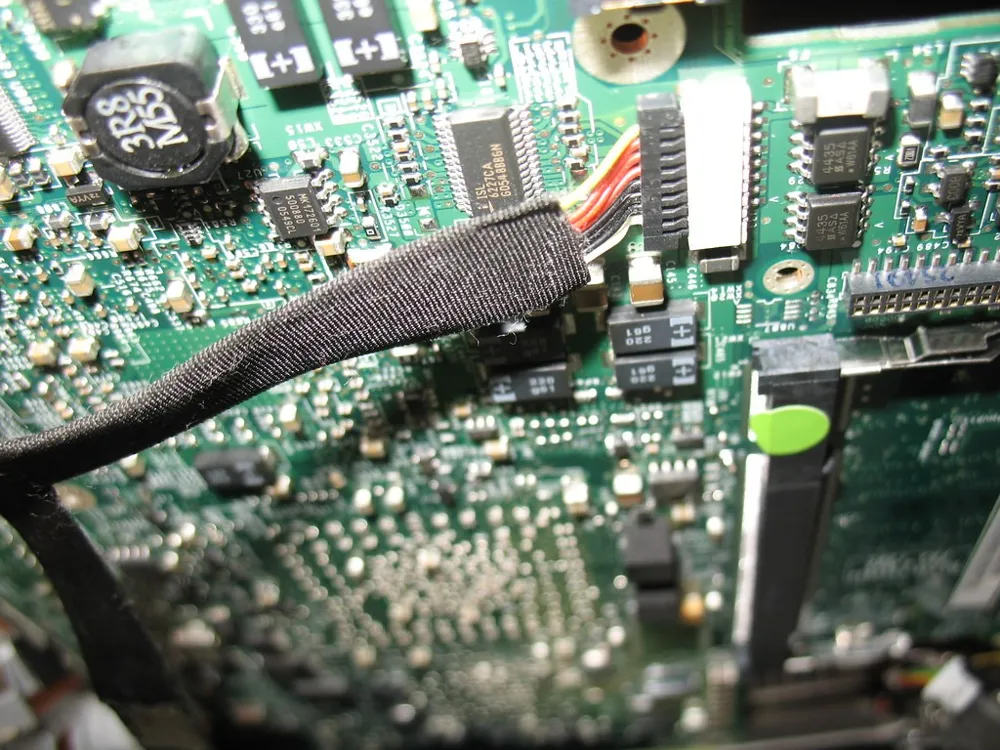
Each half of a hoverboard has its own foot pad sensors and wheel motor, linked to the main board by a wiring harness through the middle. When one side won't respond, wobbles or shows a red light, work through the likely causes from simplest to hardest:
- Calibration. Recalibrate first. It's the most common fix.
- Foot pad sensors. If the side doesn't react when you press its pad, the pad or the sensor under it may not be registering. iFixit's Hover-1 Maverick guide points to broken foot mats when steering is unresponsive.
- A blocked wheel. With the board off, check that the wheel turns freely and nothing is wrapped around it.
- Loose wiring. Impacts and twisting can loosen the cable between the halves. Reseating it means opening the shell.
- Sensor board or motor. A failed gyroscope board or wheel motor needs a replacement part.
Steps 4 and 5 involve opening the board, which can void a warranty and puts you close to the battery. If you're not experienced with electronics, or the board is still under warranty, contact the manufacturer or a repair shop. Never ride with one side faulty.
Lights, Bluetooth and Speaker Problems
These are lower-risk faults, and the checks below come from iFixit's Hover-1 H1 guide and common brand advice:
- Bluetooth won't pair: make sure your phone's Bluetooth is on, keep the phone within a few feet of the board, and remove and re-add the board in your phone's Bluetooth list. If it still won't pair, the board's Bluetooth module may have failed.
- LED lights don't work: charge the board first; if they still don't come on, an internal wire may be loose or the lights may need replacing.
- App won't connect: update the brand's app and the board's firmware if your model supports it, then restart both.
Fix It Yourself or Get Help?
A sensible line between DIY and professional repair:
| Usually Fine to Do Yourself | Leave to the Manufacturer or a Repair Shop |
|---|---|
| Charging, power cycling and recalibrating | Anything involving the battery pack |
| Cleaning wheels and foot pads | Motherboard or sensor board replacement |
| Checking tire pressure on air-filled tires | Wheel motor replacement |
| Pairing Bluetooth and updating the app | Rewiring or repairing the charging port |
| Replacing a charger with the maker's approved model | Any repair while the board is under warranty |
Before you call support, note your model, serial number and purchase date, and describe exactly what the lights and beeps are doing. Report any overheating, smoking or fire incident to the CPSC at SaferProducts.gov. If the board is beyond repair, don't put it in the trash: the CPSC advises taking lithium batteries to a battery recycler or household hazardous waste site.
How to Prevent Hoverboard Problems
- Charge safely: use only the original or maker-approved charger, stay nearby while it charges, don't charge overnight, and unplug it when it's full. The CPSC also advises keeping a charging board away from flammable items.
- Charge at room temperature: iFixit's Swagtron guide cites a charging range of about 32 to 104°F (0 to 40°C).
- Stay dry: avoid puddles, rain and wet grass, which can damage electronics.
- Ride within limits: respect the weight limit, avoid steep slopes, and don't bump down curbs or steps.
- Recalibrate after hard knocks or if the board starts to feel off.
- Store it properly in a cool, dry place, and top up the charge if it sits unused for a long time.
If it's time for a new board, our best hoverboards and best hoverboards for kids guides list UL 2272 certified models, and are hoverboards safe? covers the wider safety picture.
Frequently Asked Questions
Why is my hoverboard beeping and not moving?
It may be on uneven ground, need recalibrating, have a low battery or sense something blocking a wheel. Power it off, clear the wheels, charge it, then recalibrate on a flat, level floor. If it still beeps, contact the manufacturer.
Why is one side of my hoverboard not working?
The most common causes are a board that needs recalibrating, a foot pad sensor that isn't registering, a loose wire between the two halves, or a faulty sensor board or wheel motor. Recalibrate first; if that fails, have it inspected or repaired.
What does a red light on a hoverboard mean?
On many boards a red or flashing red battery light means the charge is low, and a red status light means the balance system needs recalibrating. Flash patterns can also be fault codes that differ by brand, so check your manual.
How do I reset my hoverboard?
Most boards reset through recalibration: power off on a flat, level surface, level both foot platforms, hold the power button for several seconds until the lights or beeps confirm it, then restart. Hold times vary by model.
Can I fix a hoverboard battery myself?
It isn't a good idea to open, repair or rewire a lithium-ion battery pack. If the battery has failed, use a replacement approved by the manufacturer, ideally fitted by the manufacturer or a repair shop, and recycle the old pack properly.
Is it safe to ride a hoverboard that keeps beeping or wobbling?
No. Step off and stop riding until you've found the cause. A board that beeps, wobbles or shuts off while you ride can throw you off, and a hot, swollen or smoking battery is a fire risk.
Why won't my hoverboard charge?
Common causes are a faulty charger, a damaged or blocked charging port, or a worn-out battery. Our hoverboard charging guide covers charger lights and fixes step by step.