How to Ride a Hoverboard Without Falling Off (2026)
Hoverboards respond to small shifts in your weight. Here's how to step on, find your balance, steer, stop and step off safely.
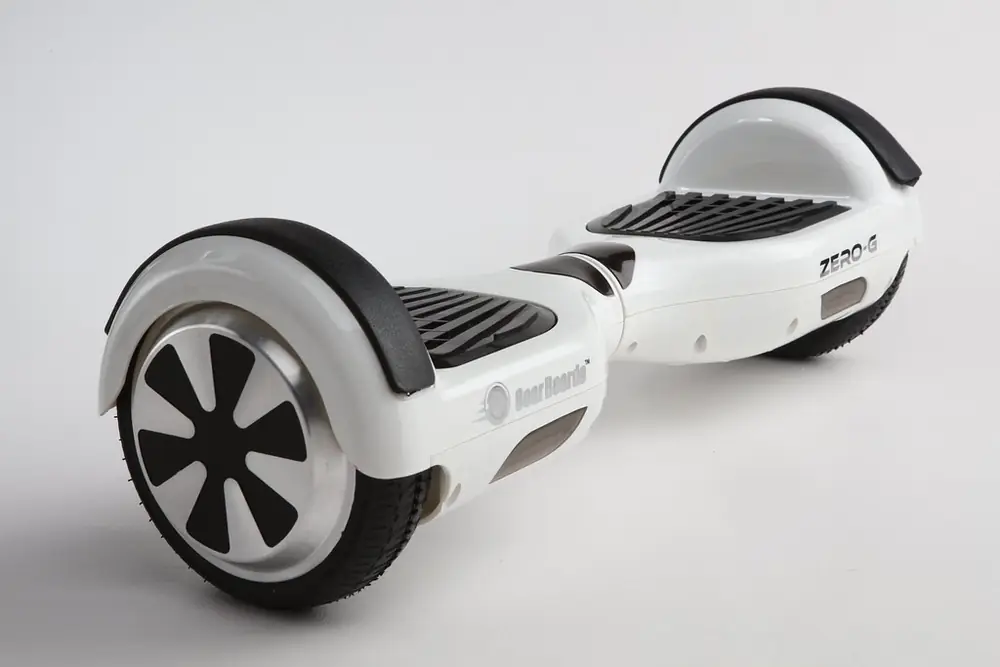
Before You Ride
A hoverboard (self-balancing scooter) has two wheels and pressure sensors under each footpad. It moves when you shift your weight. Before your first ride:
- Choose a board certified to UL 2272, the US safety standard for these devices.
- Charge it fully, following the manufacturer's instructions.
- Wear a helmet, plus wrist guards and knee pads if you have them.
- Pick a flat, smooth, open area, ideally near a wall or with a friend to steady you.
Quick Controls Guide
| To... | Do This |
|---|---|
| Go forward | Lean slightly forward from your ankles |
| Slow down or stop | Stand upright, then lean slightly back |
| Turn left | Push your right toes forward |
| Turn right | Push your left toes forward |
| Spin in place | Push one foot's toes forward and the other's heel down |
Step by Step
- Turn it on and place it on flat ground.
- Step on with your dominant foot first, flat on the footpad near the wheel. The board will engage.
- Quickly but smoothly bring your other foot up, keeping feet shoulder-width apart.
- Stand tall and relaxed, knees slightly bent, eyes forward, not at your feet.
- Lean gently forward to move. Tiny movements are enough.
- Turn by pushing one foot's toes forward.
- Stop by standing upright, then leaning back slightly.
- Step off backward, one foot at a time, when stopped.
Hills, Bumps and Wet Ground
| Situation | What to Do |
|---|---|
| Going uphill | Lean a little more forward and keep a steady pace; skip hills until you're confident |
| Going downhill | Go slowly with gentle backward pressure; never faster than you can stop |
| Cracks, gravel, grates | Ride around them or step off and carry the board |
| Curbs | Step off and lift the board; most boards can't climb curbs |
| Wet pavement | Avoid if possible; traction drops and stopping takes longer. Check your board's water-resistance rating and never ride through puddles |
If the Board Beeps
Beeping usually signals a warning, such as low battery, an uneven footpad or speed limit reached. Slow down, step off backward and check the manual. Don't keep riding a board that keeps beeping or wobbling; some boards need recalibrating on level ground, following the maker's steps.
Common Beginner Mistakes
- Looking down: look where you want to go.
- Stiff legs: bent knees absorb bumps.
- Big movements: hoverboards respond to small shifts.
- Stepping off forward: always step off backward.
- Riding on rough ground: cracks and gravel can stop a wheel suddenly.
Riding Around Other People
- Check local rules; hoverboards may not be allowed on roads or some sidewalks and paths.
- Hoverboards are quiet, so let pedestrians know you're passing and give them space.
- Assume drivers can't see you; avoid riding near traffic.
- Use lights or reflective gear in low light.
Kids on Hoverboards
Many manufacturers suggest a minimum age of around 8, but follow your board's age and weight guidance. Kids should be able to reach both footpads comfortably, follow safety rules and wear a helmet. Supervise young riders. See hoverboards for kids and the hoverboard weight limit guide.
Battery Safety
- Use only the charger that came with the board.
- Don't charge overnight unattended or leave it charging after it's full.
- Charge on a hard, non-flammable surface away from exits.
- Stop using a board that's damaged, swollen, smoking or overheating.
- Let the board cool down after riding before you charge it.
- For long-term storage, follow the manual; many makers suggest storing at partial charge in a cool, dry place.
Boards for Beginners
Razor Hovertrax Sonic Glow
Listed as UL 2272 certified, with a top speed listed up to 8 mph, LED lights and a Bluetooth speaker.
Check Price on AmazonJetson Pixel
A budget board with light-up wheels and a built-in Bluetooth speaker, suited to smooth sidewalks and driveways.
Check Price on AmazonTriple Eight Certified Sweatsaver
A dual-certified (CPSC and ASTM F1492) helmet.
Check Price on AmazonCompare boards in best hoverboards and hoverboards for kids.
Frequently Asked Questions
Is it hard to ride a hoverboard?
Most people get the basics in a few minutes once they learn to stand relaxed and look ahead. Start slowly next to a wall or with a spotter.
How do you make a hoverboard go forward?
Lean very slightly forward from your ankles. Lean back slightly to slow down and stop.
How do you turn on a hoverboard?
Push the toes of one foot forward. Pushing the right toes forward turns you left, and pushing the left toes turns you right.
Do I need a helmet on a hoverboard?
Yes, wear a helmet and ideally wrist guards and knee pads, especially while learning.
Are hoverboards safe?
Choose a UL 2272 certified board, charge it as the manufacturer directs, ride on smooth surfaces and wear protective gear.
Can hoverboards go up hills?
Most can handle gentle slopes. Lean slightly more forward going up and go slowly coming down. Check your board's listed climbing ability.
Can you ride a hoverboard in the rain?
It's best not to. Wet ground reduces traction, and water can damage electronics. Check the board's water-resistance rating and avoid puddles.