Hoverboard Charging Guide: Chargers, Lights and Safety (2026)
How long to charge a hoverboard, what the red and green lights mean, how to pick a replacement charger and how to charge safely, with guidance from the CPSC and fire officials.
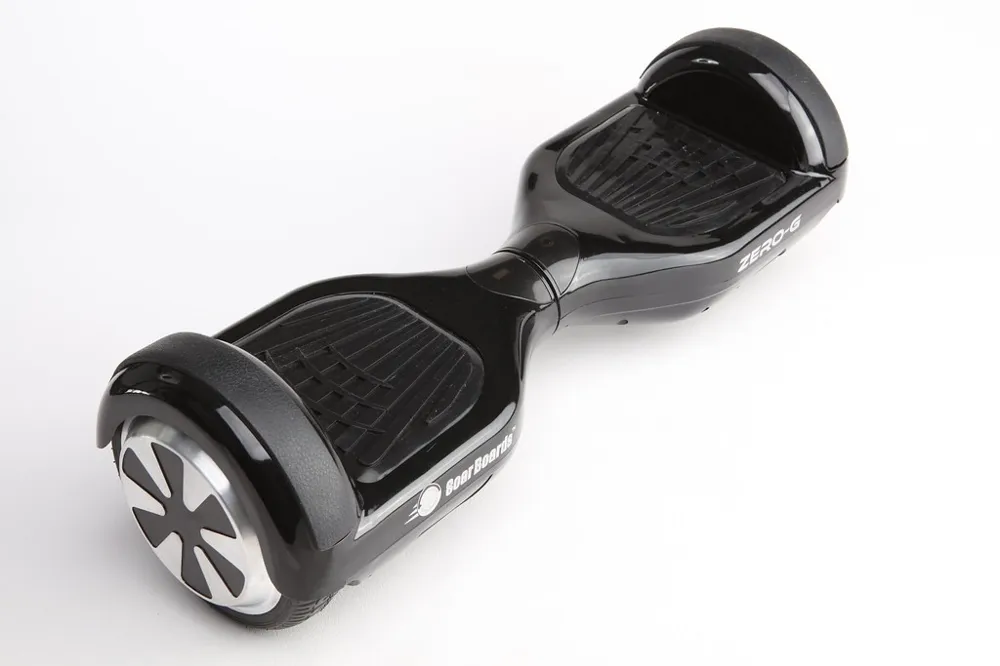
Hoverboard Charging at a Glance
| Question | Typical Answer |
|---|---|
| Charge time | About 2–5 hours, depending on model and battery |
| Charger light while charging | Red |
| Charger light when full | Green |
| Battery voltage | Usually 36 V nominal |
| Charger output | 42 V, usually about 1–2 A |
| Common connectors | 3-pin round (XLR-style) or DC barrel plug |
| When to recharge | Some brands suggest at about 20–30% battery |
| Golden rule | Use the manufacturer's charger and never charge unattended |
How to Charge a Hoverboard
- Turn the hoverboard off. Don't ride or power it on while it's charging.
- Find a safe spot indoors, on a flat, non-flammable surface, away from exits, beds and heat sources.
- Plug the charger into the wall first, then into the hoverboard's charging port. This is the order Jetson recommends.
- Check the light: it should turn red to show charging.
- Stay nearby while it charges.
- Unplug when the light turns green, first from the board, then from the wall.
Charging a New Hoverboard for the First Time
Boards are usually charged and tested at the factory but can lose charge while sitting in a box or on a shelf, so UK retailer Currys recommends fully charging a new hoverboard before the first ride. Some manuals call for a longer first charge to condition the battery, so check yours. Avoid charging in extreme heat or cold, which brands warn can harm the battery.
How Long Does a Hoverboard Take to Charge?
Most hoverboards take about 2 to 5 hours to charge from low. Bigger batteries and lower-amperage chargers take longer.
| Example | Charge Time | Source |
|---|---|---|
| Jetson Flash, Rave, Sphere, Spin, Strike and similar | Up to 3 hours | Jetson |
| Jetson Alpha, Sync | Up to 4 hours | Jetson |
| Jetson Pixel, Lumino, Magma, Litho X and similar | Up to 5 hours | Jetson |
| Typical 36 V, 2.0 Ah battery | About 2 hours | iScooter |
| Typical 36 V, 4.4 Ah battery | Up to about 4 hours | iScooter |
| Gotrax boards | About 4 hours | Gotrax |
A slower charger takes longer: a 1-amp charger can take about twice as long as a 2-amp original. Always check your model's manual for its exact time.
What the Charger Lights Mean
| Charger Light | Usually Means |
|---|---|
| Red | Charging, battery not yet full |
| Green | Fully charged, or charger on but not connected to a battery |
| No light | No power from the outlet, a faulty charger, or a problem with the connection or port |
| Green right away and board won't turn on | The board isn't accepting a charge; check the port, fuse or battery |
Some models are exceptions. Jetson's Hali X flashes green while charging and stops flashing when complete.
The Battery Indicator on the Board
Many hoverboards also show battery level on the board. On Jetson's single-light models, green means 50% or more, yellow 20 to 49% and red below 20%. Below about 10%, some boards slow down, tilt up or shut off, so recharge before it gets that low.
Charging Safety: What the Experts Say
Lithium-ion batteries in hoverboards and other e-mobility devices can catch fire if they're damaged, faulty or charged incorrectly. The CPSC notes that many lithium-ion fires and deaths happen at night while devices charge. Here's what the CPSC, the FDNY and the NFPA advise:
- Use the charger that came with the device or one recommended by the manufacturer. Avoid universal chargers.
- Never charge unattended. Don't charge while you're asleep or away from home.
- Unplug when charging is complete. Don't keep charging after the battery is full.
- Charge away from exits and hallways so a fire can't block your way out.
- Don't charge on beds, couches or pillows, and keep batteries away from heat sources.
- Buy certified products: devices, batteries and chargers listed by a nationally recognized testing laboratory, such as a UL 2272–certified hoverboard.
- Install smoke alarms where you charge and keep them working.
- Don't charge a damaged battery, and only use tested, approved replacement batteries.
Warning Signs to Stop Using a Battery
Stop using and charging the hoverboard if the battery shows an unusual smell, a change in color or shape, excess heat, leaking, smoke, or won't hold a charge. If a battery smokes or swells, get away from it and call 911.
Disposal
Never put lithium-ion batteries in household trash or regular recycling bins. Use a battery recycling drop-off or your local hazardous waste program. The FDNY advises bagging batteries individually or taping the terminals before you drop them off.
Buying a Replacement Charger
The safest choice is a charger from the hoverboard's maker for your exact model. If you need another option, match every spec:
| Spec | What to Match |
|---|---|
| Voltage | The battery's full-charge voltage: 42 V for a 36 V pack. A charger that outputs only 36 V will never fully charge it. |
| Amperage | Usually 1–2 A. Lower is slower but generally safe; higher can stress batteries not designed for fast charging. |
| Connector | The same plug: 3-pin XLR-style or the correct barrel size |
| Certification | A UL or other recognized safety mark |
Find the specs on the label under the hoverboard (look for "INPUT") or on the original charger ("OUTPUT"). Third-party chargers can void some warranties.
Aftermarket chargers are on regulators' radar too. The CPSC's proposed micromobility battery rule, published June 24, 2026, would cover aftermarket chargers and reference UL 2272 for chargers used with devices like hoverboards. As of November 2026 it was still a proposal, not a final rule.
Troubleshooting: Hoverboard Won't Charge
- Check the outlet with another device.
- Check the charger light. No light at all usually points to the charger.
- Inspect the charging port for dirt, bent pins or a loose connection.
- Try another compatible charger from the manufacturer if you have one.
- Watch for error lights or beeps on the board and look them up in your manual.
- Recalibrate if the board charges but won't balance; see how hoverboards work.
- Contact the manufacturer if it still won't charge. A worn or damaged battery, blown fuse or faulty mainboard needs professional service; don't open the battery yourself.
Battery Life and Storage
- Riding time: one brand cites about 1 to 3 hours of riding per charge, depending on model and use.
- Battery lifespan: the same brand says most batteries last about 1 to 2 years with regular use and care.
- Recharge regularly: some brands suggest recharging at about 20 to 30%, and daily riders every day or two.
- Storage: brands disagree on charge level. Jetson says to fully charge before long-term storage and top up monthly; others suggest about 50 to 60%. Follow your manual.
- Keep it cool and dry, indoors, and away from exits and heat.
Charging Popular Brands
- Jetson: use only the included or model-specific replacement charger; plug into the wall first, then the board; don't power on while charging.
- Hover-1: red means not fully charged and green means fully charged; if there's no light, the charging port may be damaged or disconnected.
- Gotrax: about 4 hours for a full charge.
Related Guides
Learn how hoverboards work, practice with how to ride a hoverboard, and compare the best hoverboards. Have an e-scooter too? See the electric scooter charger guide.
Frequently Asked Questions
How long does it take to charge a hoverboard?
Typically about 2 to 5 hours from low, depending on the model and battery size. Jetson, for example, lists up to 3, 4 or 5 hours depending on the board. Check your manual for your model.
How do I know when my hoverboard is fully charged?
On most chargers the light turns from red to green when charging is complete. Some models work differently; Jetson's Hali X, for example, flashes green while charging and stops flashing when full.
Can you overcharge a hoverboard?
Unplug it once it's full. Brands and fire safety groups advise against leaving it plugged in after it's charged or charging overnight while you sleep.
Why is my hoverboard charger light green but it won't turn on?
A green light can mean the charger is working but not charging the battery. Check the connection and charging port. If the board still won't turn on, the battery or another component may need service.
Why won't my hoverboard charge?
Common causes are a faulty charger, a loose or damaged charging port, a blown fuse or a worn-out battery. Try the charger on an outlet you know works, inspect the port, and contact the manufacturer if it still won't charge.
Can I use a different charger for my hoverboard?
The CPSC advises using only the charger provided with or recommended by the manufacturer. If you need a replacement, get one made for your model or one that exactly matches the voltage, amperage and connector, with a recognized safety certification.
What voltage charger does a hoverboard need?
Most hoverboards have 36-volt battery packs, which need a 42-volt charger, the battery's fully charged voltage. Check the label on your board or the output rating on the original charger.
Should I charge a new hoverboard before riding it?
Yes. New boards can lose charge in storage, so charge fully before the first ride and follow any first-charge instructions in your manual.
How should I store a hoverboard over winter?
Store it indoors in a dry, cool place away from exits and heat. Brands differ on the charge level for storage, from about half to full, so follow your manual and check the charge every month or so.