How to Maintain an Electric Scooter: Checks That Keep It Safe (2026)
A few minutes of checks before each ride and a short monthly session catch most problems early. Here's what to check, how often, how to adjust brakes and stem play, and when to hand it to a shop.
Electric Scooter Maintenance Schedule at a Glance
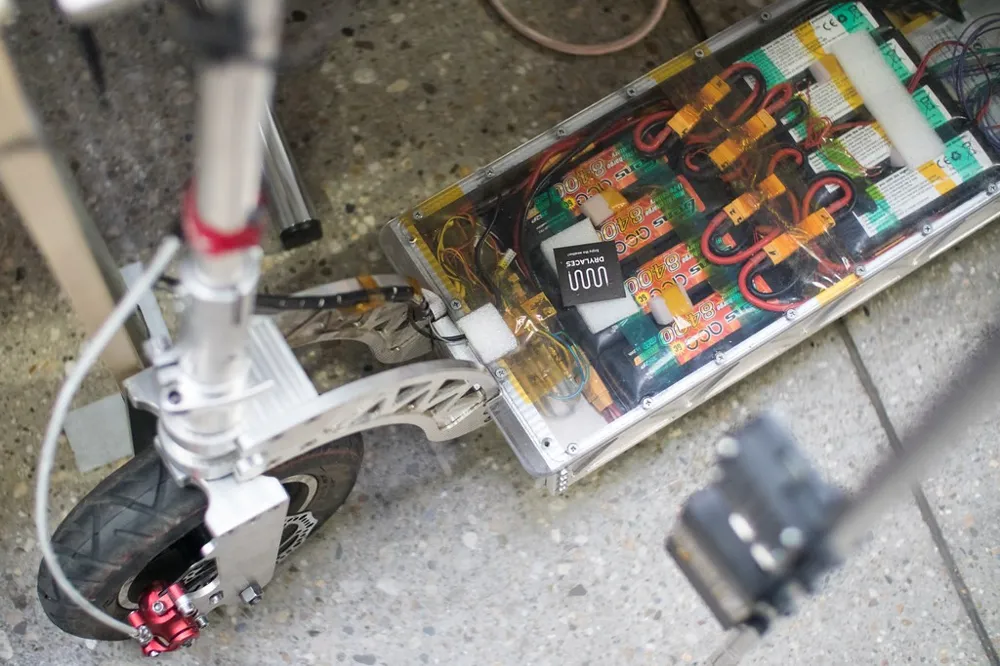
An electric scooter has fewer moving parts than a car or a bike, but the parts it does have work hard: brakes stop a heavy machine at speed, the folding stem carries your weight through every bump, and vibration slowly loosens bolts. Most problems announce themselves early if you look. This schedule pulls together what manufacturer manuals and scooter makers' guides recommend. Your owner's manual always wins where it differs.
| When | What to Check | What You're Looking For |
|---|---|---|
| Before every ride | Brakes, folding latch, tires, lights, battery level | Scooter won't roll with each lever squeezed; stem locked with no play; tires look properly inflated; lights work; enough charge for the trip |
| Weekly | Tire pressure with a gauge, tread and sidewalls, brake pads, wipe-down | Pressure within the maker's range; no cuts, bulges or embedded glass; pads not worn thin |
| Monthly | All accessible bolts and screws, brake cable tension, folding hinge, deep clean, charge port | Nothing loose; lever feel consistent; hinge locks cleanly; port free of dirt and corrosion |
| Every few months | Battery health (range compared with when new), wheel bearings, suspension, firmware | No sudden range drop; wheels spin smoothly without grinding or side-to-side play; updates installed |
| Seasonally / yearly | Storage prep, cables and housings, tire replacement, professional inspection | Battery stored partly charged; frayed cables replaced; worn tires swapped; a shop check of the electrical system |
Ride a lot, ride off-road or ride in the wet? Shorten the intervals. Apollo, for example, advises a full fastener check at least every 500 km (about 310 miles) and a quicker check every two to four weeks for heavy use, plus a check after any hard impact. If you're still learning the controls, start with how to ride an electric scooter; to learn what each component does, see our electric scooter parts guide.
Tools You Need
Most routine scooter maintenance needs only a few hand tools. Check which bolt sizes your scooter uses before you buy anything, since sizes vary by brand.
| Tool | What It's For |
|---|---|
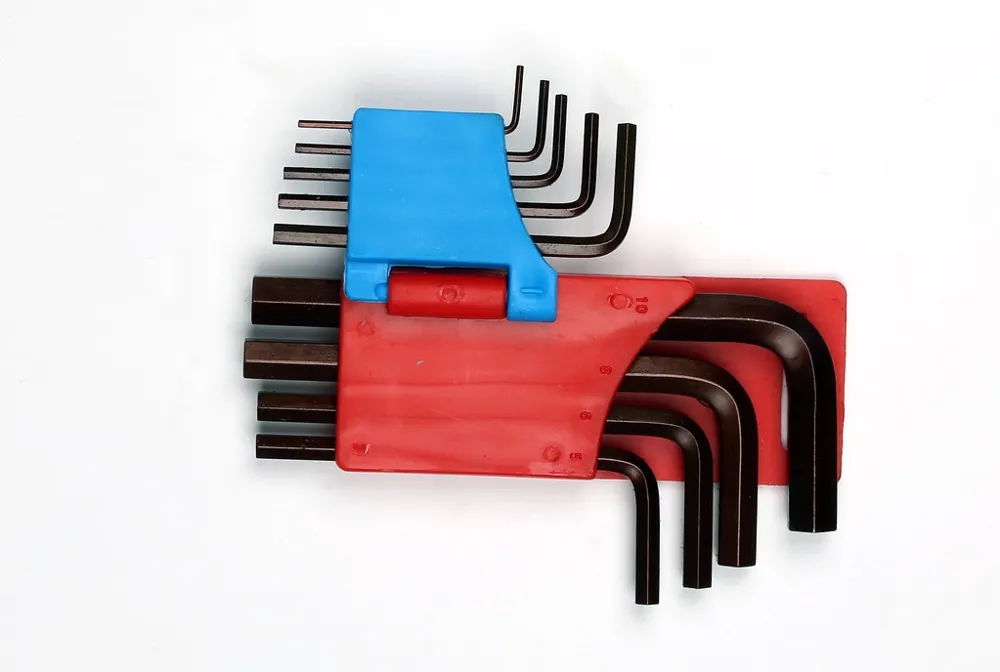
| Hex (Allen) keys | Stem, handlebar, deck and brake caliper bolts |
| Open-end wrenches or sockets (roughly 8–19 mm) | Axle nuts and cable adjuster nuts; Xiaomi, for example, specifies a 14 mm T-handle socket wrench for the Electric Scooter 5's brake adjustment |
| Phillips and flat screwdrivers | Deck covers, fenders and light housings |
| Pump with a gauge, or a separate pressure gauge | Air-filled tires; small scooter valves can be awkward for pump gauges |
| Torque wrench | Tightening bolts to the values in your manual |
| Medium-strength (removable) threadlocker | Bolts that keep vibrating loose, where your manual allows it |
| Microfiber cloths, a soft brush, light lubricant | Cleaning and the folding hinge |
Three tools that cover most of the list:
1. Topeak SmartGauge D2
A digital tire pressure gauge that reads up to 250 PSI, with a rotating head for Presta and Schrader valves. A separate gauge helps because pump gauges can be inaccurate at the small valves found on scooters.
Good to Know
- Works with both common valve types
- Small enough to keep with the scooter
Watch Out For
- A gauge only; you still need a pump
2. Park Tool AWS-10 Hex Wrench Set
A fold-up set with 1.5 mm to 6 mm hex wrenches, covering many of the smaller stem, handlebar and brake bolts on scooters.
Good to Know
- Folds into one compact tool for a bag
- Covers the common small hex sizes
Watch Out For
- No keys above 6 mm and no sockets for axle nuts
3. Park Tool Torque Wrench
A ratcheting click-type torque wrench with a 2–14 Nm range for tightening smaller bolts to the maker's specs.
Good to Know
- Stops guesswork on stem and handlebar clamps
- Range suits small fasteners
Watch Out For
- Axle nuts on larger scooters may need a higher-range wrench
The Pre-Ride Check: One Minute Before You Go
Most riders skip this, and it's the check most likely to stop a crash. It takes about a minute:
- Brakes. Squeeze each brake lever and try to push the scooter forward. It shouldn't roll. The levers should feel firm, not spongy, and spring back when released.
- Stem and latch. Unfold the stem, make sure the latch is fully closed (including any safety catch), then hold the front brake and rock the handlebars back and forth. You shouldn't feel a clunk or any play.
- Tires. Look for obvious low pressure, cuts or anything stuck in the tread. On air tires, a quick squeeze tells you if one is noticeably softer than usual.
- Lights. Switch on the headlight and check the brake light comes on when you squeeze a lever.
- Battery and display. Make sure the charge covers your trip and there are no error codes on the display.
- Listen. On your first few meters, listen for new rattles, rubbing or grinding. A new noise is usually the first sign something has loosened.
Tire Pressure and Tire Checks
On air-filled (pneumatic) tires, pressure is the single biggest thing you control. Check it with a gauge at least weekly. Use the pressure in your owner's manual first, then the range printed on the tire sidewall, and never exceed the sidewall maximum. Figures vary by model. As of November 2026, for example, Xiaomi lists 45–50 psi for the Xiaomi Electric Scooter 5, and Levy lists 50–60 psi for the Levy Light and Levy Plus.
- Too low: more rolling resistance and less range, vague steering, faster wear and a much higher risk of pinch flats.
- Too high: a harsher ride and less rubber on the road, which cuts grip and braking.
- Every week, look at the tread and sidewalls for cuts, cracks, bulges, flat spots and embedded glass or thorns. Replace a tire that is worn smooth or damaged.
- Solid and honeycomb tires don't need pumping, but check them for chunks missing, cracking and wear all the same.
Tire types, size codes, sealant and step-by-step flat repairs are covered in our electric scooter tires guide, so we won't repeat them here.
Brakes: Checking and Adjusting Them
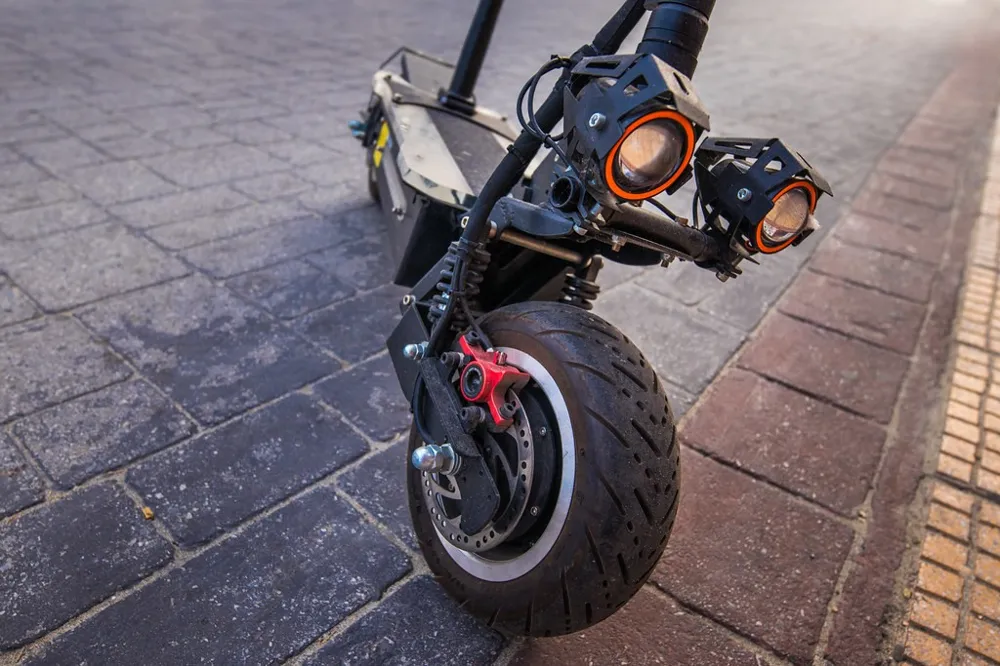
Brakes are the most safety-critical system on the scooter. Most scooters combine two of the following, and each needs different care. If you aren't confident adjusting brakes, this is the job to hand to a shop.
| Brake Type | Routine Care | Signs It Needs Attention |
|---|---|---|
| Mechanical (cable) disc | Take up cable slack; adjust pads as they wear; keep rotor and pads clean | Lever pulls close to the bar, squealing, rubbing, longer stops |
| Hydraulic disc | Check pads and for fluid leaks; bleeding when the lever goes spongy | Spongy lever, leaks at the lever or caliper |
| Drum | Take up cable slack at the adjuster | Weak braking, lever travel growing |
| Foot (fender) brake | Check the fender and its mounting for cracks and looseness | Fender loose, cracked or not contacting the tire |
| Electronic / regenerative | Nothing to wear; check the strength setting in the app | Braking feels weaker or an error appears; contact support |
Mechanical Disc, Drum and Other Cable Brakes
Brake cables stretch and pads wear, so lever travel slowly increases. Most cable brakes have an adjuster at the lever, at the brake end, or both. On the Xiaomi Electric Scooter 5, for example, Xiaomi's instructions are to power the scooter off, then use a 14 mm socket on the nut at the brake end of the cable: turn it clockwise if the brake is too loose and counterclockwise if it's too tight. Make small changes and test after each one.
- Target feel: the brake should bite well before the lever touches the handlebar. On bicycle mechanical disc brakes, Park Tool suggests the pads should contact the rotor at no less than about half the lever's travel, and the same idea applies to scooters.
- Don't overtighten. Xiaomi warns that a brake adjusted too tight can lock the front wheel and pitch the scooter forward. After adjusting, spin the wheel by hand: it should turn freely without the brake dragging.
- Adjusting as pads wear: on calipers with pad adjusters, wind the pads in a little at a time. Park Tool notes the barrel adjuster is for taking up cable slack, not for compensating for pad wear; overusing it can leave the caliper arm with no travel left to stop you.
- Rubbing or squealing: often a caliper that has shifted off center. Loosening the caliper mounting bolts, squeezing the lever to center it, and retightening while holding the lever is the standard fix on many disc brakes. A bent rotor needs straightening or replacement.
- Keep it clean and dry: remove grit from the caliper, keep lubricant spray away from brake rotors and pads, and replace a frayed cable or a gritty, corroded housing. Wet, salty roads corrode brake parts faster.
For more detail on caliper centering and pad setup, which work the same way on scooter disc brakes, see how to adjust bike brakes.
Hydraulic Disc Brakes
Hydraulic brakes have no cable to tension. Check the pads and look for fluid around the lever and caliper. A spongy lever usually means air in the line and the system needs bleeding, which uses syringes, the correct fluid for that brake and a careful procedure. Many riders leave bleeding to a shop.
Electronic and Regenerative Brakes
Electronic brakes use the motor to slow the scooter, so there are no pads to wear. On many app-connected scooters you can set how strongly they work. In the Xiaomi Home app, for example, "Energy recovery intensity" offers Low, Medium and High settings. If an electronic brake stops working or the display shows an error, stop relying on it and contact the manufacturer or a service center; it isn't a home fix.
Folding Mechanism and Stem Play
The folding latch is the weak point of most e-scooters. Every fold, bump and hard stop works it a little looser, and play in the stem (stem wobble) gets worse over time and feels unsettling at speed. Check it before every ride and give it attention monthly:
- Lock it fully. Make sure the stem is completely engaged and the latch and any secondary safety catch are closed. Xiaomi's first step for a wobbling stem is exactly this.
- Check the fasteners. Look for loose screws and bolts on the folding mechanism, stem and handlebar assembly, and tighten them with the correct tool. Some folding mechanisms have an adjustment bolt or screw for taking up play; if yours does, your manual shows where it is and how far to turn it.
- Inspect for wear. Look for cracks, worn hooks or pins and bent parts. Worn folding parts should be replaced, not tightened harder.
- Lubricate lightly. A drop of light machine oil or silicone lubricant on the hinge keeps it moving smoothly. Wipe off any excess so it doesn't collect grit.
- Recheck after any service. Xiaomi notes that a stem reassembled incorrectly after a repair can cause instability.
If the stem still wobbles after locking and tightening everything, stop riding and contact the manufacturer or a service center. A latch that won't lock is not something to ride on.
Bolts, Screws and Torque
Constant road vibration loosens fasteners, which is why the monthly bolt check matters as much as the brakes. Work around the whole scooter:
- Handlebars, stem clamp and headset
- Folding mechanism hardware
- Brake caliper, lever mounts and disc rotor bolts
- Wheel axles and motor mounts
- Deck screws and battery cover
- Suspension pivots, fenders, kickstand and accessory mounts (phone holders, lights, baskets)
Use your manual's torque values. Apollo describes the scooter manual as the authoritative source for torque values and says to use a torque wrench where a spec is given. Where none is listed, tighten until snug, then check the part works, and don't keep cranking: over-torquing can strip threads, crack components or cause a part to fail. Use correctly sized tools so you don't round off bolt heads.
Threadlocker: Apollo recommends medium-strength, removable threadlocker for bolts you service, applied as one or two drops on the bolt threads. Avoid permanent (high-strength) threadlocker on anything you'll need to remove, and check your manual first, since some bolts come with threadlocker already applied at the factory.
A bolt that keeps working loose, or a deck screw that won't tighten, can be a sign of stripped threads or a damaged part. That's worth a shop visit.
Wheels, Bearings and Suspension
Every few months, lift each wheel off the ground and spin it. It should turn smoothly and quietly. Then grab the tire and try to rock it side to side.
- Grinding, roughness or clicking on a non-motor wheel usually points to worn or dirty wheel bearings, which can be replaced.
- Side-to-side play can mean a loose axle nut or a worn bearing. Tighten the axle nut to spec first.
- Noise from a hub motor that persists after clearing debris needs a technician. Motor bearings sit inside the hub, and opening the motor may affect your warranty.
- Suspension: check pivots and springs or shocks for looseness, leaks or clunks, and keep the exposed parts clean.
Fork and axle bolts deserve extra attention after a tire change or rough off-road riding. Avoid slamming the wheels into curbs; most scooter motors sit in the wheel hub and take the impact directly.
Cleaning Without Water Damage
Water is the enemy of the battery, controller and connectors, so clean with a cloth, not a hose. Segway's KickScooter manual is explicit: don't wash the scooter with a power washer or hose, and don't use alcohol, gasoline, acetone or other corrosive or volatile solvents.
- Power off and unplug. Make sure the scooter is switched off, the charger is disconnected and the rubber cap on the charge port is sealed.
- Dry-brush first. Use a soft brush or compressed air to clear grit from the wheel wells, fenders, calipers and folding hinge.
- Wipe with a damp cloth. A microfiber cloth with warm water and a little mild soap handles most dirt. Keep it only slightly damp around buttons, the display and connectors, and skip alcohol-based cleaners on the display.
- Dry thoroughly, including under the deck, to prevent corrosion.
- Check the charge port for dirt or corrosion while you're there.
An IP rating such as IPX4 or IPX5 means the scooter resists splashes or water jets in testing. It isn't waterproofing, and many brands exclude water damage from their warranty. After a wet ride, wipe the scooter down and let it dry indoors before charging. For riding in wet weather and what IP ratings mean, see riding an electric scooter in the rain.
Battery Care and Seasonal Storage

How you charge and store the battery matters as much as anything you do with a wrench. The essentials:
- Don't run it completely flat. Segway warns that completely draining the battery may cause permanent damage, and that over-discharge damage isn't covered by its limited warranty.
- Use the original or maker-approved charger, and let a hot battery cool after a ride before charging.
- Store it partly charged. For storage of more than a couple of weeks, keep the battery partly charged rather than full or empty, indoors in a cool, dry place, and top it up every month or so.
- Mind the temperature. Segway notes that riding below 32°F (0°C) can reduce range and performance; store and charge within the limits in your manual.
Batteries also drain slowly while idle. Segway says a fully charged KickScooter battery typically retains charge for 120–180 days in standby mode, but a low battery only 30–60 days, which is how scooters put away empty in the fall end up dead in spring.
Winter or seasonal storage checklist: clean and dry the scooter, check tire pressure (and top up air tires before you ride again), store it indoors away from heat sources and exits, set a monthly reminder to check the charge, and don't leave it outdoors for long periods. Segway advises against extended outdoor storage, and some brands' warranties exclude damage from outdoor storage. If you lock it up outside day to day, see electric scooter locks, and consider a cover.
Charge cycles, capacity loss and replacement are covered in how long electric scooter batteries last, and charger voltage, charge times and charging safety in our electric scooter charger guide.
Firmware and App Updates
Many app-connected scooters receive firmware updates that the manufacturer releases after sale. Segway's manual tells owners to install the app, activate the scooter and obtain the latest updates and safety instructions. Check for updates every few months, and after you see an announcement from the brand.
On Xiaomi scooters, for example, the steps are: open the Xiaomi Home (Mi Home) app, select the scooter's card, tap the three-dot menu, choose Firmware update and tap Check for updates. Xiaomi recommends:
- At least 50% battery before updating
- A reliable connection, since a poor one can lead to a failed update
- Not interrupting the process once it starts
Avoid unofficial or "unlocked" custom firmware. Segway's manual says not to modify the scooter and that modifications could void the limited warranty. Raising the speed limit can also make a scooter illegal on public roads where you live (see are electric scooters street legal).
Warning Signs and When to See a Shop
Routine checks are owner jobs. These are not. Stop riding and contact the manufacturer or a qualified repair shop if you notice:
| Sign | Why It Needs a Professional |
|---|---|
| A swollen, hot, leaking or smelly battery | A damaged lithium-ion battery is a fire risk; stop charging and keep it away from anything flammable |
| Persistent error codes on the display | Usually points to the controller, motor, battery or wiring |
| Range dropping sharply | May mean a failing battery or cell imbalance |
| Grinding from the motor that persists after clearing debris | Internal motor or bearing wear |
| Cracks or bends in the frame, stem or deck | Structural parts shouldn't be ridden once damaged |
| A folding latch that won't lock, or wobble after tightening | Worn or broken folding parts |
| Brakes that won't adjust to a firm lever, or a spongy hydraulic lever | Worn parts, a damaged cable or air in the line |
| Electrical faults: cutting out, intermittent power, water inside | Wiring and controller repairs need the right parts and knowledge |
Some riders also book a yearly inspection, and some brands recommend one. Repairs to the battery, controller and motor should go through the manufacturer or an authorized service center, especially under warranty. When a major repair approaches the cost of a comparable new scooter, replacing it may make more sense. If you're shopping for a replacement, see our best electric scooters.
Warranty: What Your Maintenance Affects
Doing the routine maintenance in your owner's manual is part of owning the scooter, and keeping a simple log of what you checked and when can help if you ever make a warranty claim. A few things commonly cause problems with claims, so read your brand's warranty terms for specifics:
- Modifications, including custom firmware, non-approved batteries or controllers. Segway's manual says modifications could void its limited warranty.
- Battery neglect. Segway excludes damage from over-discharge or under-discharge.
- Water damage. Many brands exclude it even on IP-rated scooters.
- Opening the scooter to work on the battery, controller or motor yourself.
This guide is general information. For your specific scooter, follow the owner's manual, and for repairs beyond routine checks, see a qualified repair shop or the manufacturer's service center.
Related Guides
- Electric scooter guides
- Electric scooter parts explained
- Electric scooter tires and fixing flats
- How long electric scooter batteries last
- Electric scooter charger guide
- Electric scooter accessories
- How to ride an electric scooter
Frequently Asked Questions
How often should you service an electric scooter?
Do quick checks of the brakes, tires, lights and folding latch before every ride, check tire pressure weekly, and do a fuller bolt, brake and cleaning session about once a month. Apollo, for example, advises a full fastener check at least every 500 km (about 310 miles), and many riders add a yearly shop inspection.
Can I wash my electric scooter with a hose?
Most makers say no. Segway's KickScooter manual says not to wash the scooter with a power washer or hose, and to wipe it with a soft, wet cloth with the power off and the charge port cover sealed. An IP rating is not permission to spray water at the deck or connectors.
Why does my electric scooter stem wobble?
Usually because the folding latch isn't fully locked or has worn, or because stem, handlebar or headset bolts have loosened. Lock the stem fully, tighten loose fasteners to your manual's spec, and stop riding and see a service center if the wobble stays.
How do I tighten the brakes on my electric scooter?
On cable-operated brakes, take up slack with the adjuster at the lever or the cable nut at the brake, then test that the scooter won't roll with the lever squeezed. Don't overtighten: Xiaomi warns a brake set too tight can lock the front wheel and tip the scooter forward.
Do electric scooters need firmware updates?
Many app-connected scooters do. Xiaomi and Segway push firmware through their apps, and Xiaomi recommends at least 50% battery, a reliable connection and not interrupting the update.
How should I store an electric scooter for winter?
Indoors, somewhere cool and dry, with the battery partly charged rather than full or empty. Top it up every month or so, because a fully drained lithium-ion battery can be permanently damaged.
Will doing my own maintenance void the warranty?
Routine checks in the owner's manual, such as tire pressure, brake adjustment and tightening bolts, are expected of owners. Modifications, opening the battery or electronics, and damage from neglect such as over-discharging the battery can void coverage, so check your brand's warranty terms.